
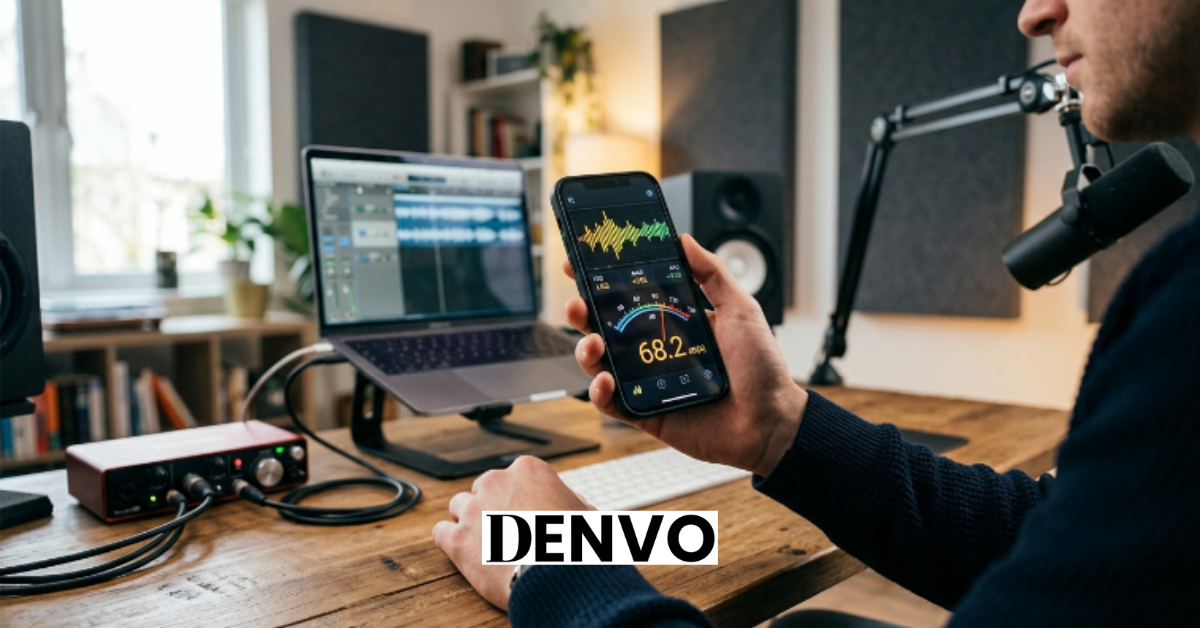
A noise meter app turns the phone already in your pocket into a rough sound level meter, and for most everyday situations — checking if a concert is too loud, seeing whether your neighbor’s party crosses a reasonable line, or getting a sense of how noisy your kid’s headphones are — that’s genuinely useful. The catch is that “noise meter app” covers everything from a government-built, lab-tested instrument to a gamified cartoon that reacts to loud classrooms, and treating them as interchangeable is where people get misled.
This guide sorts through that gap. It’s built around one question that most app roundups skip: how close does each app actually land to a real, calibrated sound level meter? The answer changes what you should trust, and it depends heavily on whether you’re holding an iPhone or an Android device.
Quick Answer
If you just want the short version: on iPhone, the NIOSH Sound Level Meter app is the most trustworthy free option, because it’s the only one independently validated in a government acoustics lab, accurate within about ±2 dBA. If you want deeper analysis tools on iOS, SPLnFFT Noise Meter posted the closest agreement with a reference meter in peer-reviewed testing. For a single app that works on both iPhone and Android, Decibel X is the most complete, though its accuracy claims come from the developer rather than an independent lab. On Android, where no app has been independently validated to the same standard, a simple, well-reviewed, calibratable option like Sound Meter by rootApps is the sensible free pick. And if your actual goal is avoiding loud restaurants rather than measuring anything precisely, SoundPrint solves a different problem entirely: it’s a crowdsourced map of how loud real venues are.
How Noise Meter Apps Actually Work
Every noise meter app does the same basic job: it listens through your phone’s microphone, measures the sound pressure hitting that mic, and converts it into a decibel (dB) reading on screen. Almost every modern smartphone uses a tiny MEMS (micro-electro-mechanical system) microphone. These are inexpensive, compact, and have a reasonably flat frequency response, but they were designed for phone calls and voice recording, not laboratory-grade acoustic measurement.
That distinction matters more than most people assume. A dedicated sound level meter is built and certified around one job: converting sound pressure into an accurate number, in any environment, at any volume. A phone microphone was built to make your voice sound clear on a call, and its associated software often applies noise reduction, automatic gain control, or compression that can quietly distort a raw sound measurement. Good noise meter apps work around these limitations by correcting for the mic’s known response and letting you apply your own calibration offset. Weaker apps don’t, and the reading can drift significantly from reality, especially at higher volumes.
Most apps also let you choose a weighting filter. A-weighting (dBA) adjusts the raw measurement to match how the human ear perceives loudness across different frequencies, and it’s the standard used for hearing-safety guidelines and most noise regulations. C-weighting (dBC) is flatter and captures low-frequency bass more accurately, which matters if you’re measuring something like a subwoofer or a nightclub sound system. The more capable apps add Leq (the average sound level over a period of time), logging, and export, which are the features that separate a casual meter from something you could actually use to track exposure over a workday or a commute.
Can You Really Trust the Number on Your Screen?
This is the part most articles gloss over, and it’s the single most important thing to understand before you rely on any noise meter app: the platform you’re on changes the answer completely.
On iPhone, accuracy is genuinely good. Every iPhone shares the same tightly controlled microphone hardware and audio pipeline, which means a developer can calibrate an app once and expect consistent results across every device. The National Institute for Occupational Safety and Health (NIOSH), the CDC agency responsible for U.S. workplace noise research, tested its own Sound Level Meter app in a reverberant chamber at its acoustics laboratory and rates it accurate within ±2 dBA, meeting the Type 2 requirements of the IEC 61672:3 sound level meter standard when paired with a calibrated external microphone. A peer-reviewed evaluation published in the Journal of the Acoustical Society of America by NIOSH researchers Chucri Kardous and Peter Shaw found that several iOS apps agreed with a calibrated reference meter to within roughly ±2 dB, and one app, SPLnFFT, posted a mean difference of just 0.07 dB in unweighted sound levels.
On Android, the picture is far less consistent. There is no independently validated Android app that meets a comparable standard, and NIOSH says directly that verifying accuracy on Android isn’t currently feasible because of how fragmented the hardware ecosystem is: thousands of phone models, each with different microphones, signal processors, and audio software. A 2025 study published in Cureus tested the ten most popular free Android noise meter apps against a reference measurement on a mid-range Samsung device. Most performed reasonably well at low, everyday volumes, but accuracy broke down at higher levels, around 85 dBA and above, where variations of 10 dB or more showed up between apps. A separate review published by Canadian Audiologist found a similar pattern: some apps consistently underestimated noise levels, which is the failure mode that actually matters, because a room that reads as “fine” on your phone but isn’t could delay you from taking hearing protection seriously.
None of this means Android apps are useless. It means you should treat an Android reading as a rough estimate rather than a number you’d stake a decision on, and you should lean toward apps that let you calibrate against a known reference.
The Best Noise Meter Apps, Reviewed
1. NIOSH Sound Level Meter — Best Overall (iOS)
The NIOSH Sound Level Meter app is the closest thing to a professional-grade instrument you can get for free. NIOSH engineers built and tested it specifically to give workers a reliable way to check whether their environment is exposing them to hazardous noise, and unlike almost every other app on this list, its accuracy claim isn’t a marketing line, it’s a published lab result. The app reports LAeq, time-weighted average (TWA), max and peak levels, and projected noise dose, with A, C, and Z weighting options, and it lets you calibrate either the internal or an external microphone.
The tradeoff is availability. It only exists for iOS, and NIOSH is explicit about why: Apple’s hardware is consistent enough to verify accuracy across every device, while Android’s fragmented ecosystem currently makes that kind of verification impractical. If you’re on an iPhone, there isn’t a strong reason to look elsewhere for a free, general-purpose reading you can actually trust.
Best for: iPhone owners who want the most reliable free reading available. Limitation: iOS only, and it’s built around occupational noise awareness rather than consumer features like history graphs or social sharing.
2. SPLnFFT Noise Meter — Best for Serious Measurement (iOS)
SPLnFFT is built for people who need more than a single number. In the Kardous and Shaw evaluation, it delivered the tightest agreement with a calibrated reference meter of any app tested, a mean unweighted difference of just 0.07 dB, though that figure comes from testing on older iPhone hardware, so treat it as a strong directional signal rather than a guarantee on your current device. Beyond raw accuracy, it includes statistical measurements like L10 and L95 (the levels exceeded 10% and 95% of the time), a real-time frequency spectrum analyzer, and support for an external calibrated microphone.
This is closer to a portable acoustic instrument than a casual “how loud is this room” app, which makes it a strong fit for audio engineers, musicians managing stage volume, or anyone doing repeated, careful measurements. It’s a paid app, and it’s iOS-only.
Best for: Audio professionals and serious hobbyists who want statistics and a spectrum view, not just a headline number. Limitation: More instrument than most casual users need, and it isn’t free.
3. Decibel X — Best Cross-Platform Option (iOS + Android)
Decibel X is the most fully featured app that runs on both major platforms, which makes it the practical choice if you switch between an iPhone and an Android device, or if you want a household to use the same app on different phones. It supports A, C, and ITU-R 468 weighting, offers calibration including 1/1 and 1/3 octave band analysis, logs a full history you can export as CSV or PNG, and on iOS it integrates with Apple Health and Apple Watch. It’s well reviewed on the App Store, though feedback is more mixed on the Android version, which lines up with the broader pattern of Android accuracy depending heavily on the specific phone.
The important caveat: Decibel X’s “pre-calibrated to match real SPL devices” claim comes from the developer, not an independent lab, so treat it with the same caution you’d apply to any manufacturer’s own accuracy claim, particularly on Android hardware the developer can’t fully control for.
Best for: Anyone who wants one capable app that works the same way across iPhone and Android. Limitation: No independently verified accuracy figure, and the free tier is limited enough that many users end up paying for the full version.
4. Sound Meter by rootApps — Best Free Android Pick
Since no Android app currently carries independent lab validation, the more useful question on Android is which app is honest about that limitation and still gives you a reasonable, calibratable reading. Sound Meter by rootApps fits that description: it’s free, offers in-app calibration, and its own store listing recommends using a dedicated device if you need genuinely precise measurements, which is a level of honesty you don’t see from every app in this category.
Use it the way you’d use any Android meter: as a rough indicator you can nudge closer to accurate with calibration, not as a precise instrument, especially once readings climb toward 85 dBA and above, where Android app error tends to grow.
Best for: Android users who want a free, no-frills meter with calibration built in. Limitation: Not independently validated, and accuracy depends on your specific phone’s microphone.
5. SoundPrint — Best for Avoiding Loud Places
SoundPrint solves a completely different problem than the rest of this list. Alongside its own built-in meter, it maintains a crowdsourced database of noise measurements that real users have taken at restaurants, bars, and cafés, so you can check how loud a venue tends to be before you go. That’s a genuinely useful tool if you have hearing sensitivity, wear hearing aids, or just want a restaurant quiet enough for a conversation or a work meeting.
By its own admission, SoundPrint’s readings are approximate and not a substitute for a professional sound level meter. Its value isn’t precision, it’s the venue database built from other people’s real measurements.
Best for: Finding a conversation-friendly restaurant or bar before you commit to going. Limitation: Not built for precise, one-off measurement of a specific sound source.
6. Too Noisy — Best for Classrooms and Kids
Too Noisy isn’t really a measurement tool, and it doesn’t pretend to be one. It’s a gamified visual monitor, typically a character or graphic that reacts as a room gets louder, designed to help a classroom of kids self-regulate their volume without a teacher having to constantly ask for quiet. A free starter version covers the basics, with a paid Pro tier adding customization.
Don’t read its on-screen number as a calibrated decibel value. Its entire purpose is behavioral, giving a visual cue that motivates quieter behavior, not an instrument reading.
Best for: Teachers and parents who want a fun, effective “quiet down” prompt. Limitation: Provides no accurate decibel reading of any kind.
How to Choose the Right App for Your Situation
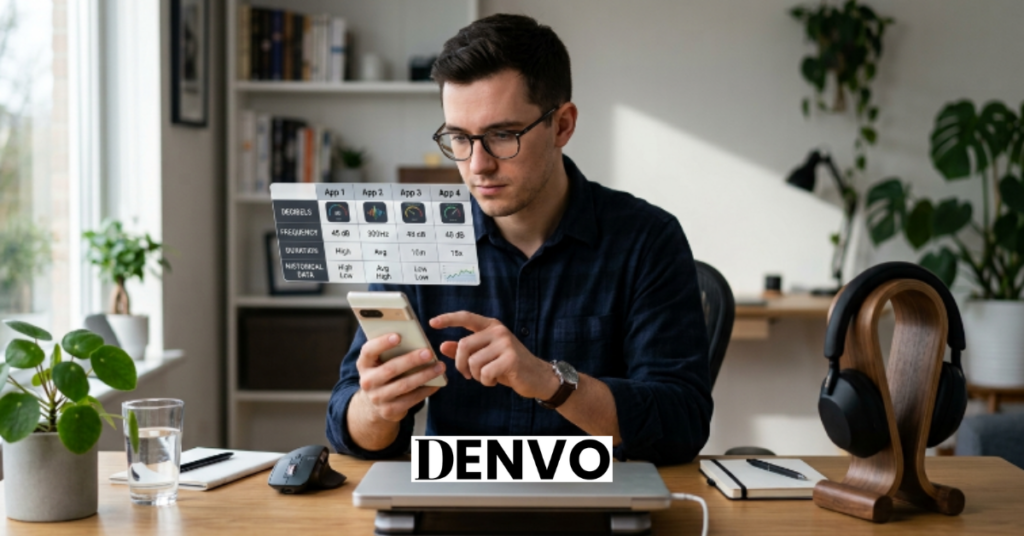
Start with your phone, because it determines your ceiling for accuracy. If you’re on an iPhone and want the single most trustworthy free reading, the NIOSH app is the clear choice, and there’s little reason to look past it unless you specifically need the deeper statistics and spectrum analysis that SPLnFFT provides.
If you’re on Android, shift your expectations. Pick a well-reviewed, calibratable app like Sound Meter by rootApps, and treat the number as a useful ballpark rather than a precise measurement, particularly once it climbs past 80–85 dBA, where Android app error tends to widen.
If your goal isn’t measurement at all but decision-making, like picking a quiet restaurant or helping kids manage classroom volume, SoundPrint and Too Noisy solve those specific problems better than a general-purpose meter would, because they’re built around the actual use case rather than raw accuracy.
And if the number you get needs to hold up to scrutiny, for an OSHA workplace compliance record, a hearing-conservation program, or a formal noise-ordinance complaint, no app on this list is the right tool. That’s covered in more detail below.
Understanding What the App Is Telling You
A decibel reading on its own doesn’t mean much without context, because decibels are measured on a logarithmic scale. That has a practical consequence: an increase of just 3 dB roughly doubles the sound energy, even though it might not sound twice as loud to your ear. This is why noise exposure guidelines don’t just track volume, they track volume over time.
Weighting matters too. If your app defaults to dBA (A-weighted), that’s the right setting for judging hearing safety and most everyday comparisons, since it mirrors how human hearing responds across frequencies. Switch to dBC only when you specifically need to capture low-frequency content, like bass-heavy music or machinery, that A-weighting tends to underplay.
Finally, pay attention to what metric the app is showing you. A single instantaneous reading tells you the level right now, but it can spike or dip in ways that don’t reflect the bigger picture. Metrics like Leq (equivalent continuous level) or LAeq average the sound over a period of time, which is generally more useful for understanding real exposure, whether that’s a workday, a concert, or a commute.
How Loud Is Too Loud? A Safe-Listening Reference
Once you have a reading, the next question is what to do with it. NIOSH sets a recommended exposure limit of 85 dBA averaged over an 8-hour period; prolonged exposure at or above that level carries a real risk of permanent hearing damage. What surprises most people is how quickly the safe exposure window shrinks as volume increases. NIOSH uses a 3-dB exchange rate, meaning the safe listening time is cut in half for every 3 dBA increase above 85.
| Sound Level | NIOSH Safe Exposure Time |
|---|---|
| 85 dBA | 8 hours |
| 88 dBA | 4 hours |
| 91 dBA | 2 hours |
| 94 dBA | 1 hour |
| 97 dBA | 30 minutes |
| 100 dBA | 15 minutes |
| 106 dBA | ~4 minutes |
| 112 dBA | ~1 minute |
For context: normal conversation sits around 60 dBA, a busy restaurant is often close to 80 dBA, and a concert or nightclub frequently runs 100–110+ dBA or higher. If your app is showing a reading in the triple digits, the safe window before hearing damage becomes a real risk is measured in minutes, not hours, which is the point where stepping back or putting in earplugs stops being optional caution and starts being necessary.
Calibration: What It Fixes and What It Can’t
Calibration is the process of adjusting an app’s reading to match a known reference, either a real sound level meter or a known calibration source, and it’s the single most effective thing you can do to improve accuracy, especially on Android, where the starting point varies the most from phone to phone. Apps that offer this feature let you enter an offset once, and the app applies it to every future reading.
But calibration has real limits. Phone microphones, particularly the MEMS type used in nearly all smartphones, typically top out somewhere around 120–130 dB SPL before they distort, and they can behave unpredictably at very low sound levels too. Loud, bass-heavy sound sources, like fireworks or a subwoofer at close range, are where readings become least reliable, no matter how well the app is calibrated. If accuracy genuinely matters to you, calibrate when the option is available, periodically re-check against a known reference, and put more trust in mid-range readings than anything at the extremes.
When an App Isn’t Enough
A noise meter app is a good everyday indicator. It is not a legal or occupational-grade instrument, and it shouldn’t be treated as one. If you need a measurement that has to hold up, an OSHA workplace noise compliance record, documentation for a hearing-conservation program, or evidence in a noise-ordinance dispute, you need a dedicated, calibrated Type 1 or Type 2 sound level meter, not a phone.
Even NIOSH is direct about this limitation with its own app: it’s built as a screening and awareness tool, not a compliance instrument, and Android accuracy currently can’t be verified at all by their standards. The practical rule of thumb is simple: use an app to decide whether a situation is worth worrying about, and use a certified meter when the number itself has consequences.
Frequently Asked Questions
Are noise meter apps accurate? On iPhone, the best ones are genuinely close to a real meter. NIOSH rates its own iOS app as accurate within ±2 dBA based on lab testing, and a peer-reviewed study found several iOS apps agreed with a calibrated reference meter to within roughly ±2 dB. On Android, accuracy varies considerably by phone model, and a 2025 study found readings could be off by 10 dB or more at higher volumes, sometimes reading lower than the true level. Treat an app as a reliable everyday indicator, especially on iPhone, rather than a legal or medical-grade measurement.
What’s the most accurate noise meter app available? For iPhone, the NIOSH Sound Level Meter is the most rigorously validated option, free and accurate within ±2 dBA per NIOSH’s own laboratory testing. SPLnFFT posted the closest agreement with a reference meter in independent peer-reviewed testing among the apps evaluated. There’s currently no Android app independently validated to a comparable standard.
Why are iPhone noise meter apps more accurate than Android ones? Every iPhone uses the same tightly controlled microphone hardware and audio pipeline, so a developer can calibrate an app once and expect consistent behavior across devices. Android spans thousands of different phone models with different microphones and audio processing, which makes consistent calibration far harder, and it’s the reason NIOSH released its app for iOS only, stating that verifying accuracy on Android isn’t currently feasible for them.
Can a phone app replace a real sound level meter for work or legal purposes? No. For OSHA compliance measurements, a workplace hearing-conservation program, or a formal noise complaint, you need a dedicated, calibrated Type 1 or Type 2 sound level meter. NIOSH itself describes even its own validated app as a screening and awareness tool rather than a compliance instrument.
Are free noise meter apps good enough for everyday use? For personal, everyday awareness, yes, and the best free option, the NIOSH app on iPhone, also happens to be the most accurate one available, with no ads or purchases required. Free Android apps vary in quality, so choose a well-reviewed one that offers calibration and treat its readings as approximate. Paying for an app is worth it mainly if you need advanced features like Leq statistics, a spectrum analyzer, or data export.
What decibel level is dangerous for hearing? NIOSH’s recommended exposure limit is 85 dBA averaged over 8 hours. Because the safe exposure time halves for every 3 dB increase above that threshold, sounds in the 100–110+ dBA range, common at concerts and nightclubs, can become risky within just minutes.
Final Thoughts
The most useful thing you can take from this guide isn’t a single app name, it’s the framework for judging any noise meter app you come across: check whether its accuracy claim comes from an independent lab or from the developer itself, and weigh Android readings more skeptically than iPhone ones until the underlying hardware fragmentation problem gets solved. On that basis, the NIOSH Sound Level Meter remains the strongest free, trustworthy option on iPhone, SPLnFFT is the better fit if you need deeper analysis, Decibel X is the most practical cross-platform choice, and a simple, calibratable app like Sound Meter by rootApps is the sensible default on Android. Whichever you choose, remember what these tools are actually for: helping you decide, in the moment, whether a situation is worth worrying about. When the answer genuinely matters for legal, medical, or workplace reasons, that’s the point to reach for a real, certified meter instead.