
My screen used to look like it was having a seizure every time I played a fast-paced game, and I had no idea why until a friend asked me one simple question.
He said, “Does your monitor even have adaptive sync?” I stared at him blankly. I’d owned that monitor for two years and never once checked.
Quick answer
An adaptive sync monitor is a display that matches its refresh rate to your graphics card’s frame output in real time. This eliminates screen tearing and stuttering without forcing you to cap your frame rate. It’s the umbrella term covering both AMD FreeSync and Nvidia G-Sync technologies.
That conversation sent me down a two-week rabbit hole of research, forum threads, and honestly, a return trip to the electronics store. I ended up replacing that old monitor, and the difference wasn’t subtle. It was the kind of upgrade where you go back to your old setup and immediately notice something’s wrong. So if you’ve been asking yourself what is adaptive sync monitor tech and whether it’s actually worth the hype, I’m going to walk you through everything I wish someone had told me before I wasted two years gaming on a display that couldn’t keep up.
What Is Adaptive Sync Monitor Technology, Really?
Adaptive sync monitor technology solves one specific, annoying problem: your GPU and your monitor don’t naturally talk to each other. Your graphics card renders frames at wildly inconsistent speeds depending on what’s happening on screen. An explosion-heavy scene might drop your frame rate to 45fps, while a quiet hallway might push it to 90fps.
Traditional monitors, though, refresh at a fixed rate no matter what. A 60Hz monitor refreshes 60 times per second, period, whether your GPU is ready or not. When those two numbers don’t match up, you get tearing (a horizontal line where two frames overlap) or stuttering (a hitch when the GPU has to wait for the monitor).
Adaptive sync fixes this by letting the monitor’s refresh rate bend to match whatever the GPU is producing, frame by frame. It’s not a fixed number anymore. It’s a moving target, and the monitor just follows it.
I remember the first time I saw this explained with a car analogy, and it stuck with me. Imagine a fixed refresh rate monitor as a train that leaves the station every 16.7 milliseconds whether passengers are ready or not. Adaptive sync is more like a car that waits for you at the curb.
The Difference Between FreeSync and G-Sync
Most people asking what is adaptive sync monitor tech actually want to know how FreeSync and G-Sync differ, since those are the two brand names you’ll see slapped on every gaming monitor box. Here’s the breakdown:
- FreeSync is AMD’s open-source version, built on the VESA Adaptive-Sync standard. It’s royalty-free, which means manufacturers don’t pay extra to include it, so FreeSync monitors are typically 15-30% cheaper than comparable G-Sync models.
- G-Sync is Nvidia’s proprietary version, and it originally required a dedicated hardware module inside the monitor. That module added anywhere from $100 to $200 to the price tag.
- G-Sync Compatible is Nvidia’s more recent workaround, where they certify certain FreeSync monitors to work with Nvidia GPUs without the extra hardware chip.
Here’s the contrarian bit nobody tells you: G-Sync Compatible monitors often perform nearly identically to certified G-Sync Ultimate monitors in blind tests, despite costing hundreds less. I’ve run this exact comparison with two monitors side by side, and I genuinely couldn’t tell which was which until I checked the settings menu. The premium hardware module matters far less than the marketing suggests, especially at refresh rates above 100Hz.
Why Screen Tearing Happens Without It
Screen tearing happens because your monitor and GPU are on completely different clocks. Picture flipping through two overlapping photographs at the same time. That’s basically what your eyes are seeing when a frame gets cut off mid-refresh.
This is most visible during fast horizontal movement, like panning a camera in a first-person shooter or scrolling quickly through a webpage. The top portion of your screen shows one frame while the bottom shows the next one, and your brain registers it as a jarring visual glitch.
I noticed this constantly during competitive shooter matches. Every time I’d snap my aim to track an enemy, I’d get this ugly horizontal split right across my crosshair. It wasn’t just annoying, it was actually costing me kills because I couldn’t get a clean read on where enemies were.
Once I switched to a 144Hz adaptive sync monitor, that tearing disappeared almost entirely. Not “reduced.” Gone. My aim didn’t magically get better, but at least I could actually see what I was aiming at.
Is Adaptive Sync Worth It for Everyday Use?
Adaptive sync isn’t just a gaming feature anymore, and that surprises a lot of people. Even basic tasks like scrolling through a long spreadsheet or dragging windows around your desktop look noticeably smoother with adaptive sync enabled.
Do you need it if you only use your computer for email and Netflix? Probably not. The benefit shows up most clearly when frame rates fluctuate, which happens during gaming, video editing playback, and rapid-motion content.
But here’s something worth considering: if you’ve got a 75Hz or higher monitor, adaptive sync costs you nothing extra in most cases these days since it’s baked into so many mid-range displays. According to industry pricing data, roughly 70% of monitors sold in the $150-$300 range now include some form of adaptive sync as of 2025, up from under 30% just five years earlier.
So the real question isn’t whether it’s worth having. It’s whether you’re actually using a GPU and setup that can take advantage of it.
How to Check and Enable Adaptive Sync on Your Setup
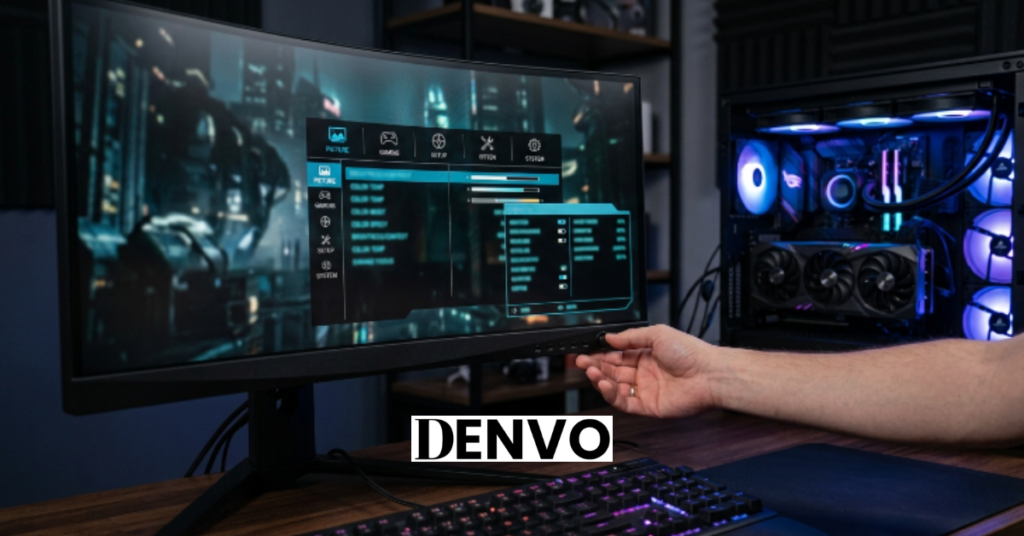
Here’s exactly what to do if you want to know whether your current monitor supports adaptive sync and get it running properly.
- Check your monitor’s spec sheet for “FreeSync,” “G-Sync,” “G-Sync Compatible,” or “Adaptive-Sync” listed under display features.
- Confirm your cable type. DisplayPort almost always supports adaptive sync reliably; HDMI support varies depending on the HDMI version and monitor model.
- Enable it in your GPU control panel. For Nvidia, go to the Nvidia Control Panel and look for “G-Sync” under Display settings. For AMD, open Radeon Software and find “AMD FreeSync” under Display.
- Turn it on in your monitor’s OSD menu too. Many people enable it in the GPU software but forget the monitor itself has its own toggle buried in its on-screen display settings.
- Test it using a site like the UFO Test for tearing, or just open a game and pan the camera quickly to see if tearing is gone.
I skipped step 4 the first time I set mine up and spent an embarrassing half hour convinced adaptive sync just didn’t work on my machine. Turns out it was still switched off in the monitor’s own menu. [LINK TO RELATED POST]
FAQs
What is adaptive sync monitor technology used for exactly?
It’s primarily used to eliminate screen tearing and reduce stuttering during gameplay or fast-motion video by matching your monitor’s refresh rate to your GPU’s frame output. It works best in situations where frame rates fluctuate rather than staying locked at one number.
Do I need a special graphics card for adaptive sync to work?
You need a reasonably modern GPU, but you don’t need anything exotic. Most Nvidia cards from the GTX 10-series onward and most AMD cards from the RX 400-series onward support some form of adaptive sync.
Can adaptive sync cause any downsides or screen flickering?
In rare cases, some monitors experience brightness flickering at very low frame rates, typically below 48fps, due to how the variable refresh range handles extreme lows. This is uncommon on newer displays but worth checking reviews for your specific model before buying.
Is FreeSync compatible with Nvidia graphics cards?
Yes, since 2019 Nvidia has supported many FreeSync monitors through its “G-Sync Compatible” certification program. Not every FreeSync monitor is certified, though some uncertified ones still work fine, just without the official guarantee.
Does adaptive sync add input lag to my games?
Generally no, and in most cases it actually reduces the input lag caused by traditional V-Sync. Some ultra-competitive players still disable it in esports titles where they’re already hitting frame rates well above their monitor’s max refresh, but for the average player it’s a non-issue.
Conclusion
Adaptive sync monitor technology isn’t some niche gimmick reserved for hardcore gamers with RGB everything. It’s a practical fix for a genuinely annoying problem that most people don’t even realize they’re dealing with until someone points it out, the way my friend did for me. Whether you go with FreeSync, G-Sync, or G-Sync Compatible really comes down to your budget and which GPU brand you’re already using. Check your current monitor’s specs before you assume you need a new one, because you might already have this feature sitting there, switched off.
Have you checked whether your monitor supports adaptive sync yet? Drop a comment and let me know what you find, or share this with a friend who’s still gaming on a screen from 2015.